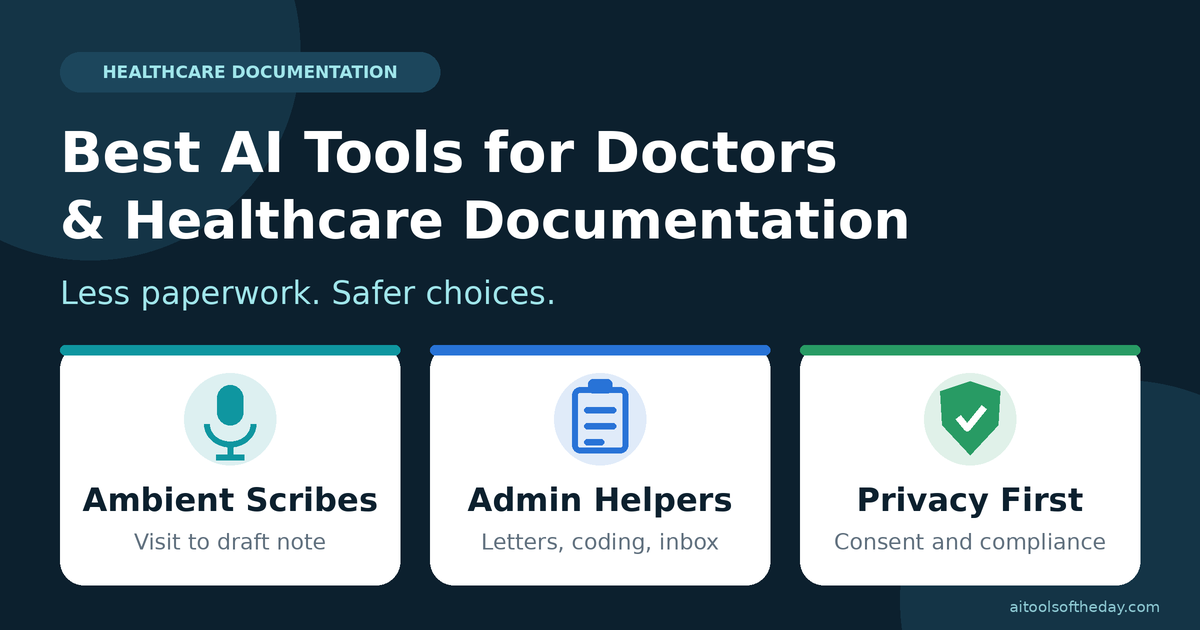
Ask almost any doctor what they like least about their job, and paperwork comes up quickly. Notes, referral letters, prior authorizations, inbox messages and coding all take time, and much of it happens after clinic hours.
That is why AI documentation tools have become one of the fastest-growing areas of healthcare technology.
In this guide we explain the main types of AI tools doctors and healthcare teams use for documentation, give examples of well-known products in each group, and share a practical checklist for choosing safely. We focus on documentation and administrative work, not on diagnosing or treating patients.
Safety First: Read This Before You Try Any Tool
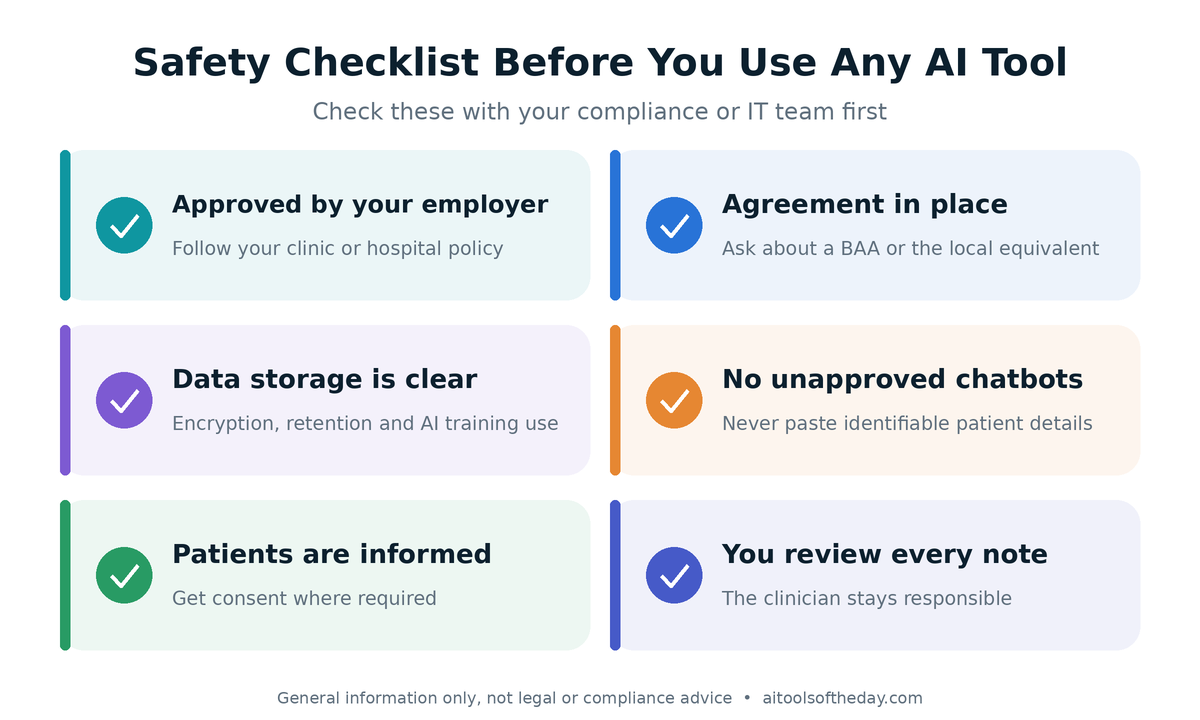
Healthcare data is among the most sensitive information there is. Before you use any AI tool with patient information, check these basics:
- Is the tool approved by your employer or practice? Many hospitals and clinics have rules about which tools you can use.
- Does the vendor sign a business associate agreement (BAA)? In the United States, tools that handle protected health information typically need one under HIPAA. Other regions have their own rules, such as GDPR in Europe and data protection laws in India and elsewhere.
- Where is data stored, and for how long? Ask about encryption, retention, access controls and whether your data is used to train AI models.
- Never paste identifiable patient details into a general-purpose chatbot unless your organization has approved it and the right agreements are in place.
- Get patient consent where required. Many places expect you to tell patients when an AI tool is recording or helping with documentation.
If you are unsure, ask your compliance, privacy or IT team before you start.
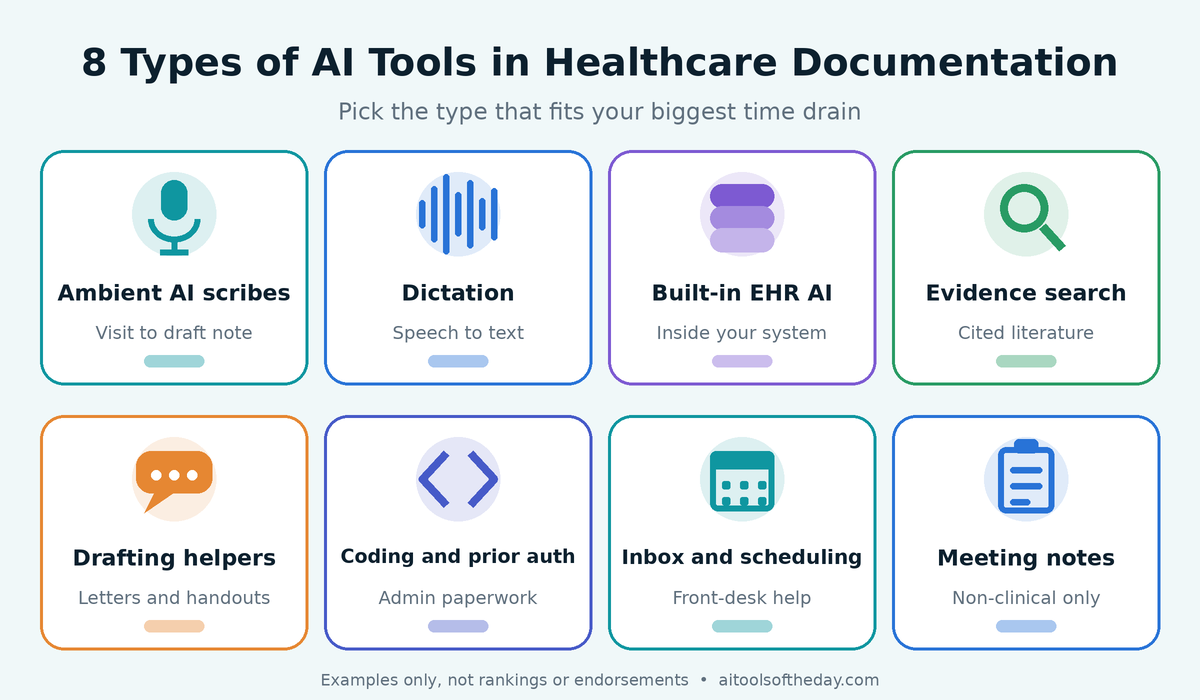
1. Ambient AI Scribes
Ambient AI scribes are the most talked-about tools in this space. They listen to the conversation during a visit (with consent), transcribe it, and generate a draft clinical note, such as a SOAP note, for the clinician to review and edit before it goes into the record.
Examples often mentioned in 2026: Abridge, Microsoft Dragon Copilot (which brings together dictation and ambient documentation), Suki, DeepScribe and Freed. Others include Ambience Healthcare, Commure and Nabla, and new tools appear often.
Best for: busy clinics and health systems that want to reduce typing during and after visits.
Watch out for: draft notes can contain errors, omissions or details the AI misunderstood. Review every note carefully, and check how much editing is needed in your specialty.
2. Medical Dictation and Speech Recognition
Before ambient scribes, voice dictation was the main way to speed up notes. Modern dictation tools understand medical terms and let you speak your notes directly into the record, often with voice commands for navigating the system.
Examples: Dragon Medical One (now part of Microsoft's Dragon Copilot family), and voice features built into various EHR systems.
Best for: clinicians who prefer dictating, or specialties with highly structured notes and reports.
Watch out for: accents, background noise and unusual drug or condition names can still cause errors, so proofread before signing.
3. AI Features Built into Your EHR
Many electronic health record systems now include their own AI features, such as drafting patient message replies, summarizing charts or suggesting note text. Because they live inside the system your team already uses, they can be simpler to adopt and may fit existing privacy arrangements.
Best for: organizations that want fewer separate tools and tighter integration.
Watch out for: features, availability and costs vary by vendor and contract, so ask your EHR provider what is included.
4. Clinical Evidence and Reference Search Tools
Some AI tools are designed to help clinicians look up medical literature and guidelines, with citations they can verify. These are different from scribes. They help you find and summarize evidence rather than write the visit note.
Best for: quick background reading and preparing for complex cases.
Watch out for: always open the cited sources and confirm important details in the original guideline or paper. Do not rely on an AI summary for treatment decisions.
5. Letter, Summary and Patient Education Drafting
General AI assistants, such as Claude and ChatGPT, can help draft non-identifiable content: patient education handouts, plain-language explanations, template referral letters, policy documents or training materials. Any use with real patient information should be limited to tools and plans your organization has approved for that purpose.
Best for: turning medical language into clear, friendly writing, and creating reusable templates.
Watch out for: remove names, dates of birth, record numbers and other identifiers unless you are using an approved, compliant setup. Have a qualified clinician review everything for accuracy before it reaches patients.
6. Coding, Billing and Prior Authorization Helpers
Some AI tools help suggest billing codes from documentation or prepare prior authorization requests and appeals. This can save administrative time and reduce missed details.
Best for: practices and billing teams with heavy paperwork.
Watch out for: coding rules are strict and differ by country and payer. Treat AI suggestions as drafts, and have trained staff confirm them to avoid compliance problems.
7. Inbox, Scheduling and Front-Desk Automation
AI can help sort patient messages, draft replies for clinician review, handle appointment reminders and answer common administrative questions. This frees up staff for tasks that need a human touch.
Best for: clinics overwhelmed by calls, messages and scheduling.
Watch out for: make sure patients can easily reach a human, and make sure urgent or clinical questions are routed to the right person, not answered by an automated tool.
8. Meeting, Training and Admin Transcription
For non-clinical work, such as staff meetings, training sessions, webinars and committee discussions, transcription and summary tools can create notes and action lists.
Best for: administrators, department heads and teaching staff.
Watch out for: do not record patient conversations with a tool that has not been approved for healthcare use, and always tell participants when you are recording.
Quick Comparison
|
Tool type |
Main job |
Typical users |
Key caution |
|---|---|---|---|
|
Ambient AI scribe |
Turns visit conversations into draft notes |
Clinicians, clinics, health systems |
Review every note for errors |
|
Dictation and speech recognition |
Converts speech to text in the record |
Clinicians and specialists |
Proofread terms and names |
|
EHR built-in AI |
Drafts messages, summaries and notes in the system |
Organizations using that EHR |
Check what is included and approved |
|
Evidence and reference search |
Finds and summarizes medical literature |
Clinicians and students |
Verify sources before acting |
|
Drafting assistants |
Letters, handouts and templates |
Clinicians, educators, admin staff |
Remove identifiers, review accuracy |
|
Coding and prior auth helpers |
Suggests codes and drafts requests |
Billing and admin teams |
Confirm with trained staff |
|
Inbox and front-desk tools |
Sorts messages and handles scheduling |
Clinic managers, front desk |
Route urgent issues to humans |
|
Meeting and admin transcription |
Notes for non-clinical meetings |
Administrators, educators |
Do not use for patient audio unless approved |
How to Choose: A Practical Checklist
Before you commit to a tool, ask these questions:
- Privacy and security: Does the vendor offer a BAA or equivalent agreement? How is data encrypted, stored and deleted?
- Accuracy: How good are the notes in your specialty and language? Ask for a trial.
- EHR integration: Does it work with your record system, or will you copy and paste?
- Editing time: How much time do you spend fixing notes? A tool that creates more editing is not saving time.
- Consent workflow: Does it help you inform patients and record consent?
- Specialty fit: Does it have templates for your type of practice?
- Support and training: Is there onboarding and responsive help?
- Cost: Is the pricing clear, including per-user fees and extra charges? Plans and prices change often, so verify current terms.
- Governance: Does the vendor explain how the AI is tested and monitored?
Who Should Use What
Solo practitioners and small clinics: look for lightweight ambient scribes or dictation tools that are quick to set up and affordable, and check privacy terms carefully.
Hospitals and health systems: work with IT, compliance and clinical leaders to choose enterprise tools that integrate with your EHR and meet governance requirements.
Specialists: look for tools with templates and terminology for your field, since notes in areas like oncology, cardiology or orthopedics can be long and complex.
Residents and students: use approved tools to learn and practice, but follow your program's rules, and never enter real patient data into unapproved services.
Practice managers: focus on scheduling, inbox, coding and prior authorization helpers that cut administrative load.
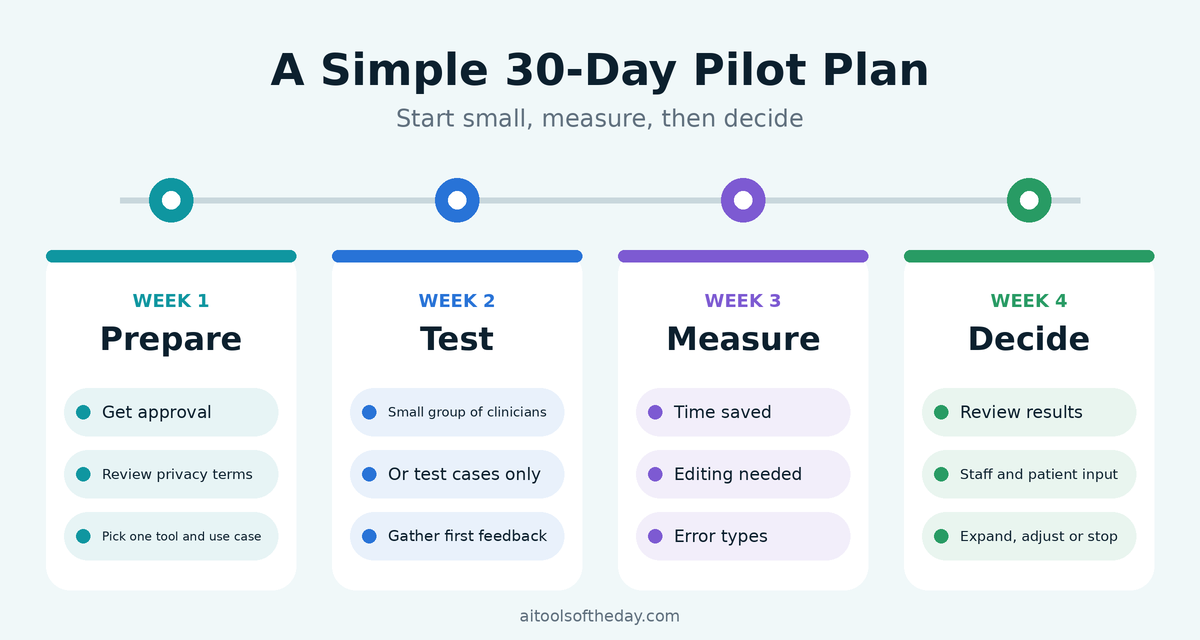
A Simple 30-Day Pilot Plan
|
Week |
Focus |
What to do |
|---|---|---|
|
Week 1 |
Prepare |
Get approval, review privacy terms, choose one tool and one use case |
|
Week 2 |
Test |
Try the tool with a small group of clinicians or on test cases |
|
Week 3 |
Measure |
Track time saved, editing needed, error types and clinician satisfaction |
|
Week 4 |
Decide |
Review results, gather patient and staff feedback and choose whether to expand, adjust or stop |
Risks to Understand
- Errors and omissions: AI can mishear, invent details or leave out important information.
- Over-trust: a smooth, confident note can be wrong. Always review.
- Bias and gaps: tools may perform differently across accents, languages and patient groups.
- Privacy risks: poorly secured tools can expose sensitive data.
- Liability: you remain responsible for what is in the record, even if an AI drafted it.
- Loss of patient connection: use technology to free up attention for the patient, not to distract from them.
Common Mistakes to Avoid
- Using unapproved consumer tools with patient data. This can break privacy rules.
- Signing notes without a careful review. The note is your responsibility.
- Skipping patient consent. Patients should know when AI is in the room.
- Choosing on marketing claims alone. Ask for trials and talk to other clinicians in your specialty.
- Rolling out to everyone at once. Start small, learn and improve.
Frequently Asked Questions
What is an AI medical scribe?
An AI medical scribe is software that listens to a patient visit, transcribes it and drafts a clinical note for the clinician to review, edit and approve.
Are AI scribes accurate enough to trust?
They can save time, but they are not perfect. Treat every note as a draft and review it carefully before signing.
Is it safe to use ChatGPT or other chatbots with patient data?
Not unless your organization has approved the tool and the right legal and privacy agreements are in place. Never enter identifiable patient details into general consumer tools.
Do I need patient consent to use an AI scribe?
Often yes, but rules vary by location and organization. Check local laws and your employer's policy, and be open with patients.
Which AI scribe is the best?
It depends on your specialty, EHR, budget and privacy requirements. Different review sites rank tools differently, and many are published by vendors, so run your own pilot.
Will AI replace medical scribes or doctors?
AI is changing how documentation is done, but clinical judgment, empathy and accountability remain human responsibilities.
Can AI help me find medical information?
Some tools help search and summarize literature with citations. Always verify the sources and do not use AI summaries alone for treatment decisions.
Final Thoughts
AI can help doctors and healthcare teams spend less time on paperwork and more time with patients, but only when it is chosen carefully and used responsibly. Start with a clear problem, such as after-hours notes or message overload, check privacy and consent requirements, pilot one tool, and measure the results. Keep the clinician in charge of every note and decision.
Looking for more options? Browse our AI tools directory to explore tools for writing, research, transcription and productivity.
Disclaimer: This article is for general information only and is not medical, legal, privacy or compliance advice. Product names are mentioned as examples and do not imply endorsement or ranking. Features, pricing, regulations and vendor terms change often, so verify current information with each provider and your organization's compliance team. All product names are trademarks of their respective owners.