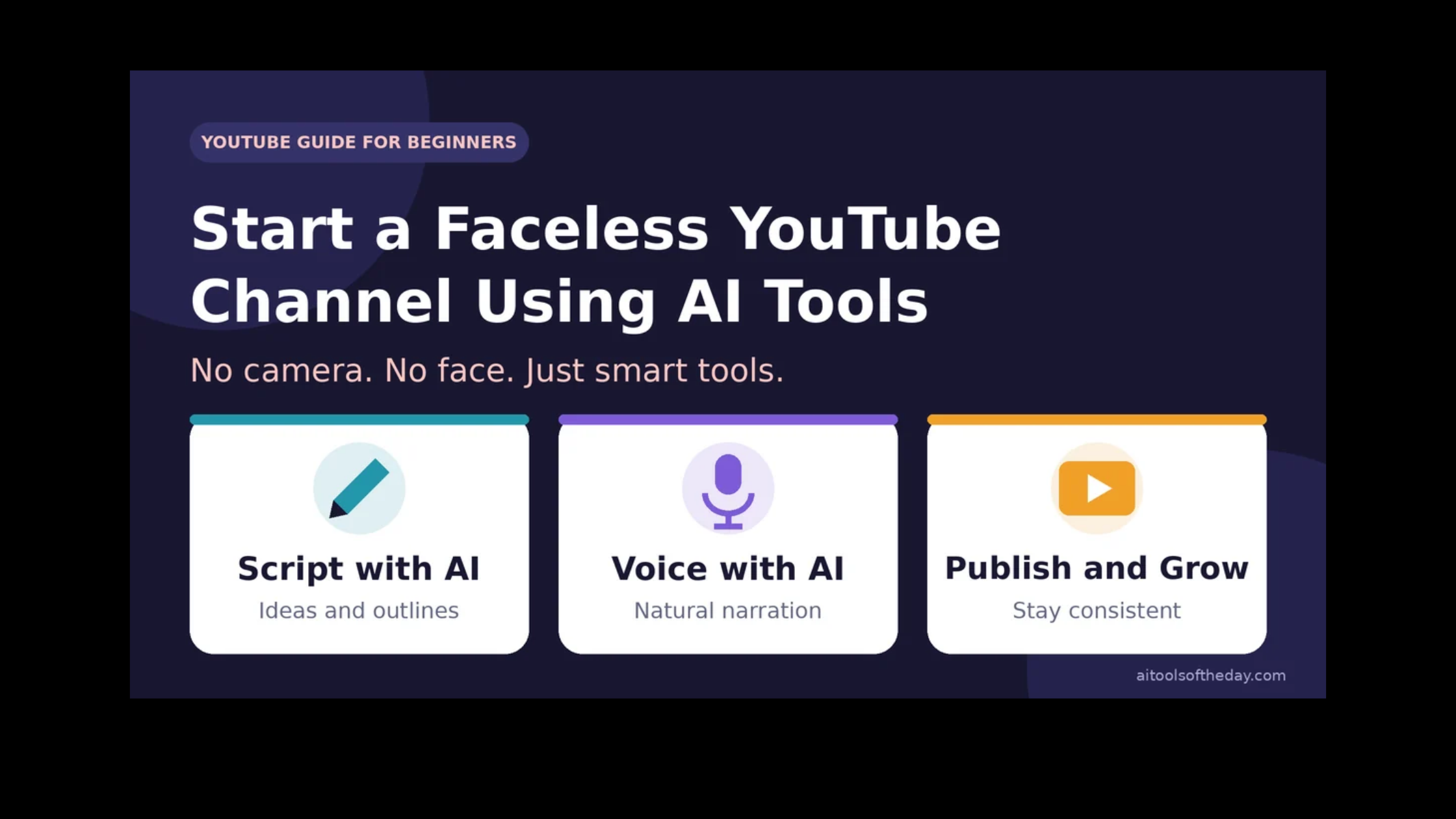
Not everyone wants to be on camera. Maybe you are shy, maybe you value your privacy, or maybe you simply do not have the time or equipment for filming. The good news is that you no longer have to appear in your videos to build a YouTube channel. With AI tools, you can write scripts, create voiceovers, generate visuals and edit videos, all from your laptop.
This guide shows you how to start a faceless YouTube channel step by step, which types of AI tools to use at each stage, and, just as important, how to stay within YouTube's rules so your channel can grow safely.
What Is a Faceless YouTube Channel?
A faceless channel is a channel where the creator never appears on screen. Instead, videos use voiceovers, animations, images, screen recordings, stock footage or AI-generated visuals. Popular examples of this style include explainer videos, top-10 lists, educational content, storytelling, tutorials, meditation and relaxation videos, and news or trend summaries.
Because there is no filming, you can produce videos faster, work from anywhere and keep your identity private if you wish.
A Quick Reality Check
AI makes creating videos easier, but it does not make success automatic. Thousands of channels use the same tools, so quality, originality and consistency are what set a channel apart. Income, if it comes, usually takes months of steady work, and there are no guaranteed results.
YouTube also has rules for monetization, including rules against repetitive or mass-produced content and requirements to disclose realistic AI-generated or altered content in certain cases. Requirements change over time, so always read YouTube's current policies and Partner Program requirements before you plan your income.
Step 1: Choose a Niche You Can Stick With
A niche is the topic your channel is known for. A clear niche helps viewers know what to expect and helps YouTube understand who to recommend your videos to. Good faceless niches include:
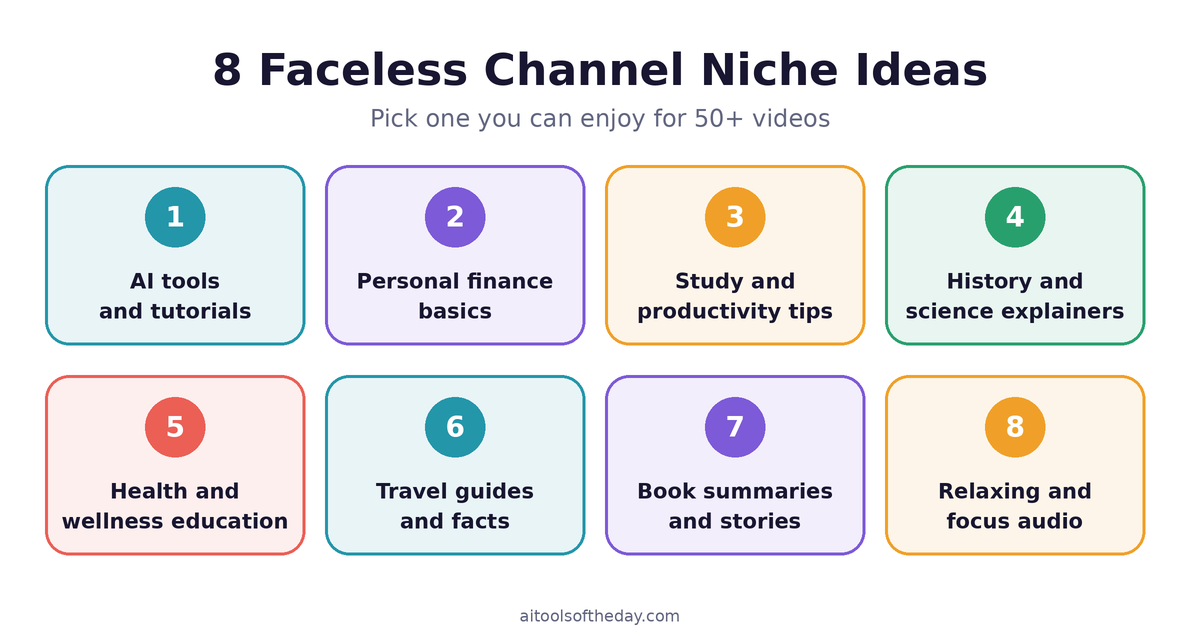
- AI tools and tutorials
- Personal finance basics and money tips
- Productivity and study tips
- History, science and "how it works" explainers
- Health, fitness and wellness education
- Travel guides and city facts
- Book summaries and storytelling
- Relaxing sounds, meditation and focus music
Choose something you can talk about for at least 50 videos. Interest in the topic keeps your content accurate and your motivation high.
Step 2: Research What Viewers Want
Before you make anything, see what is already working. Search your topic on YouTube and look at the titles, thumbnails and views of popular videos. Note the questions viewers ask in the comments. Use YouTube's search suggestions and free keyword tools to find topics people search for.
Your goal is not to copy competitors. It is to find gaps, such as a question that is poorly answered or a topic explained in a confusing way, and to make a clearer, more useful video.
Step 3: Set Up Your Channel
- Create a Google account and a YouTube channel with a clear, memorable name.
- Write a short channel description that explains who the channel is for and what they will learn.
- Design a simple logo and banner. Free design tools with AI features make this quick.
- Plan a consistent look, including colors, fonts and thumbnail style, so your videos feel connected.
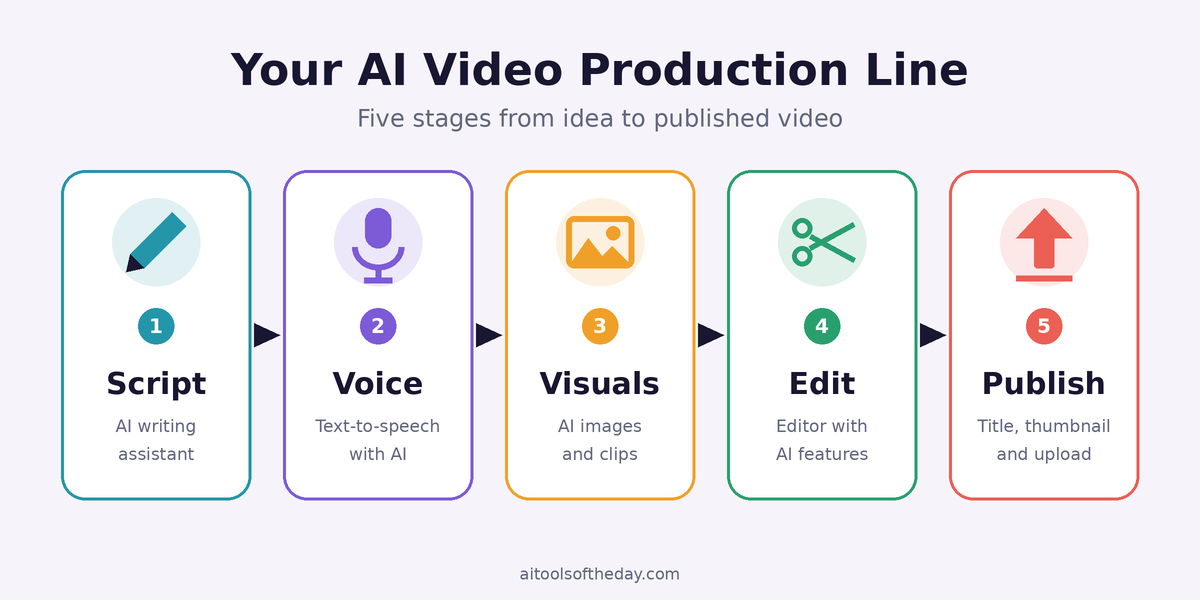
Step 4: Write Your Script with an AI Assistant
The script is the foundation of every faceless video. An AI assistant such as Claude or ChatGPT can help you brainstorm ideas, draft an outline and write a first version. A strong video script usually follows this shape:
- Hook (first 10 to 15 seconds): tell viewers what they will get and why it matters.
- Main points: deliver the value in clear, simple sections.
- Example or story: make the ideas easy to remember.
- Call to action: ask viewers to subscribe, comment or watch a related video.
Important: do not publish the AI draft as it is. Check every fact, add your own examples and rewrite parts in your own voice. Original, accurate scripts perform better and protect your channel's reputation.
Step 5: Create the Voiceover
Good audio matters more than most beginners realize. Viewers will forgive simple visuals, but not hard-to-understand sound. AI voice tools such as ElevenLabs can turn your script into natural-sounding speech in different voices and styles.
Tips for better voiceovers:
- Read the script aloud first to find awkward sentences.
- Add short pauses with punctuation for a more natural rhythm.
- Pick one voice and keep it consistent across videos.
- Only clone or imitate a voice if it is your own or you have clear permission from the owner.
Step 6: Create the Visuals
You have several options for what viewers will see on screen:
- AI-generated images from tools such as Midjourney or other image generators
- AI video clips from tools like Runway for short animated scenes
- Screen recordings for software tutorials
- Royalty-free stock footage and images from sites that clearly allow commercial use
- Text animations, charts and simple graphics to explain data and ideas
A mix of these keeps videos interesting. Always check the license of anything you use, and never use footage or images you do not have the right to use.
Step 7: Edit Your Video
Editing is where your script, voice and visuals come together. An AI-powered editor such as Wondershare Filmora can help with cutting clips, adding captions, removing background noise and applying transitions. Follow these basic editing habits:
- Change the visual every few seconds to hold attention.
- Add accurate captions, since many people watch without sound.
- Use soft background music at a low volume, from a library with a license that permits YouTube use.
- Keep the pacing tight and remove pauses and filler.
Step 8: Design a Click-Worthy Thumbnail and Title
Your title and thumbnail decide whether someone clicks. Use a design tool such as Canva to create thumbnails with big, readable text, a clear subject and strong contrast. Write titles that promise a specific benefit without being misleading. For example, "5 Free AI Tools That Save You Hours Every Week" is clearer than "AI Tools You Need."
Never use misleading thumbnails or false claims. They may bring clicks in the short term, but they hurt viewer trust and watch time.
Step 9: Upload and Optimize
- Write a description that includes your main topic naturally in the first lines.
- Add chapters (timestamps) to make long videos easier to navigate.
- Add a few relevant tags and a category.
- Upload a custom thumbnail and, if available, subtitles.
- If your video contains realistic content that was altered or generated with AI in ways YouTube asks you to disclose, use the disclosure option during upload.
Step 10: Publish Consistently and Learn from Analytics
Pick a realistic schedule, such as one or two videos per week, and stick to it. After each video, check your analytics. Look at how many viewers click your thumbnail, how long they watch and where they stop watching. Use those clues to improve your next hook, pacing and topic choice.
Your AI Toolkit at a Glance
|
Stage |
What you need |
Example tools |
|---|---|---|
|
Ideas and scripts |
AI writing assistant |
Claude, ChatGPT |
|
Voiceover |
AI text-to-speech |
ElevenLabs |
|
Visuals |
AI images and video |
Midjourney, Runway |
|
Editing |
Video editor with AI features |
Wondershare Filmora |
|
Thumbnails |
Design tool |
Canva |
Tools, features and pricing change often. Start with free plans and upgrade only when you need to.
How Faceless Channels Can Earn Money
- YouTube Partner Program: ad revenue once your channel meets YouTube's current requirements.
- Affiliate links: recommend tools or products in your description, with a clear disclosure.
- Sponsorships: brands may pay to be featured as your channel grows.
- Your own products: templates, courses or prompt packs.
- Memberships and other channel features: when available to your channel.
No method is guaranteed, and the timeline varies a lot from one channel to another.
Rules to Follow So Your Channel Stays Safe
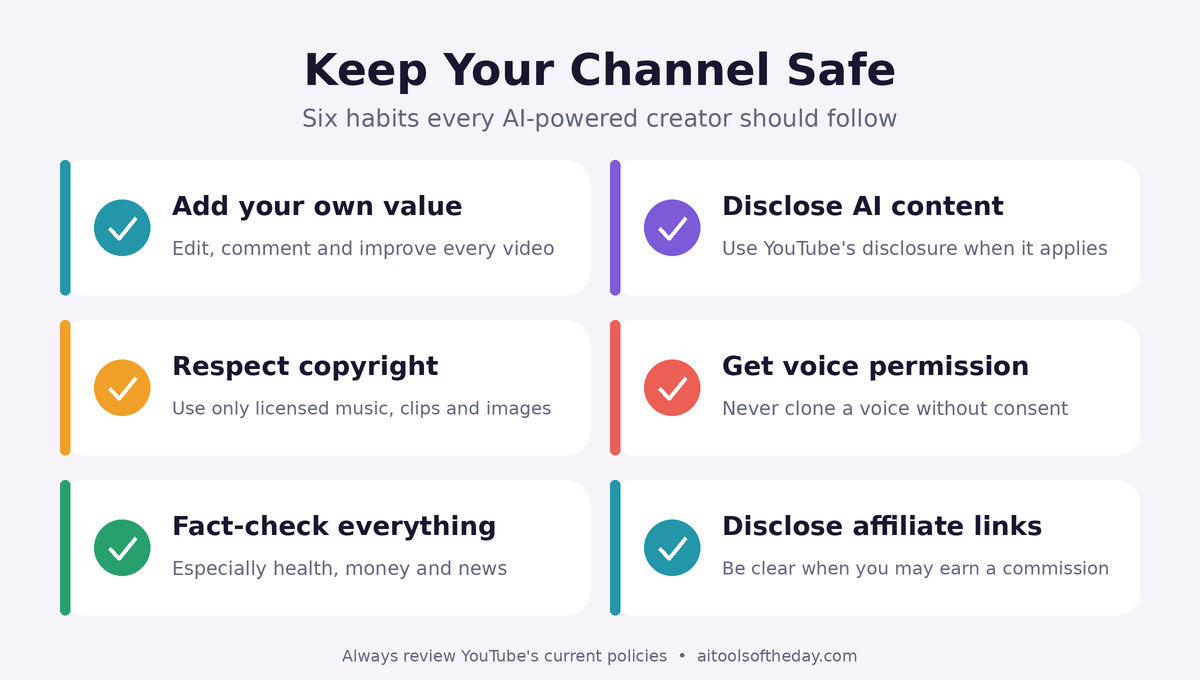
- Follow YouTube's monetization and community policies. Avoid repetitive, low-effort or mass-produced videos. Add your own value, commentary and editing to each video.
- Disclose AI content when required. If realistic content is synthetic or altered in a way that could mislead viewers, use YouTube's disclosure tools.
- Respect copyright. Use only music, clips and images you created or are licensed to use.
- Respect people's voices and likenesses. Do not clone a voice or create realistic images of real people without permission.
- Avoid misinformation. Fact-check, especially for health, finance and news topics.
- Disclose affiliate links clearly, as required by advertising rules in your country.
Common Mistakes to Avoid
- Publishing raw AI output. Unedited, generic videos tend to perform poorly and may be treated as low-quality.
- Changing niches constantly. Stick to one topic long enough for viewers and YouTube to understand your channel.
- Ignoring audio quality. A clean voice and balanced music matter a great deal.
- Copying other channels. Use competitors for inspiration, then bring your own angle.
- Quitting after a few videos. Most channels need time and many uploads before they gain traction.
Your 30-Day Launch Plan
|
Week |
Focus |
What to do |
|---|---|---|
|
Week 1 |
Plan |
Choose your niche, research 20 video ideas, create your channel and branding |
|
Week 2 |
Produce |
Script, voice and edit your first 2 videos, and design thumbnails |
|
Week 3 |
Publish |
Upload your first videos with optimized titles and descriptions, and plan the next batch |
|
Week 4 |
Improve |
Review analytics, improve your hooks and thumbnails, and publish 2 more videos |
Frequently Asked Questions
Can I really run a YouTube channel without showing my face or using my own voice?
Yes. Many channels use AI voiceovers, animations and stock visuals. Just follow YouTube's policies on AI disclosure, originality and monetization.
Is a faceless channel allowed to make money?
Yes, as long as it meets YouTube's current Partner Program requirements and follows its policies. Channels that rely on repetitive or mass-produced content may not qualify.
Do I need expensive equipment?
No. A computer, an internet connection and free or low-cost tools are enough to begin. A decent microphone helps if you record your own voice.
How long should my videos be?
It depends on your topic. Many explainer videos work well between 6 and 12 minutes, while short-form videos suit quick tips. Focus on being useful rather than hitting a certain length.
Can I use AI-generated music and images?
Often yes, but check each tool's terms for commercial use, and follow YouTube's disclosure rules where they apply.
How long before I see results?
There is no fixed timeline. Many creators spend months publishing before they see steady growth, so consistency and quality are key.
Final Thoughts
Starting a faceless YouTube channel with AI tools is more accessible than ever. Choose a niche you care about, use AI to speed up the work rather than replace your judgment, add your own insights to every video, and follow the platform's rules. Do that consistently, and you give your channel a real chance to grow.
Looking for tools to build your workflow? Browse our AI video tools and AI audio and music tools in the directory.