Making a video used to require a camera, editing software and a lot of patience. Now you can type a sentence and get a video clip back, or let AI trim, caption and polish your footage in minutes. That is great news for beginners, but it also creates a new problem: there are so many AI video tools that it is hard to know where to start.
Three names come up often: Runway, Pika and Filmora. They are not exactly the same kind of tool, and that is the key to choosing well. In this guide we compare them in plain language, so you can pick the one that fits what you want to make.
Quick Verdict
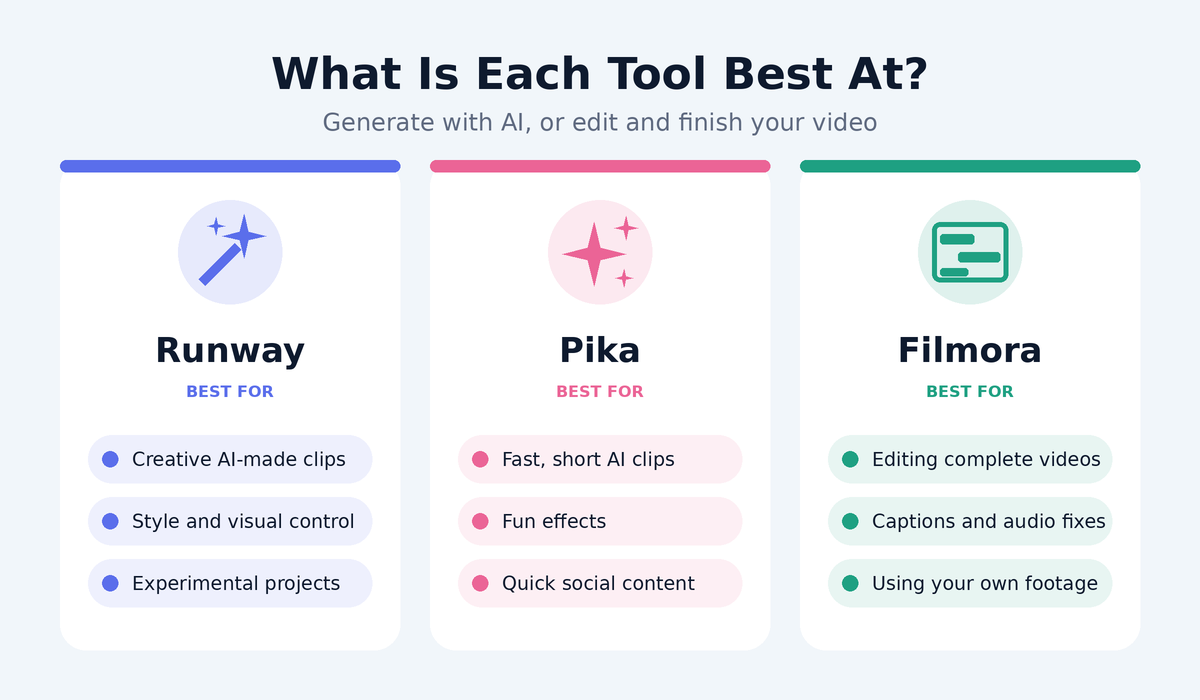
- Best for beginners who want a complete video editor: Filmora
- Best for creating AI video clips from text or images, with more creative control: Runway
- Best for quick, fun, short AI clips and effects: Pika
In short, Runway and Pika are mainly about generating video with AI, while Filmora is mainly about editing video, with helpful AI features built in. Many creators end up using one of each.
What Each Tool Does
Runway: The Creative AI Studio
Runway is a browser-based platform known for AI video generation. You can describe a scene in text, start from an image, or transform existing footage, and Runway creates a short clip for you. It also offers a range of AI editing tools, such as removing backgrounds and changing styles, and it is popular with filmmakers, designers and marketers who want more creative control. You can read more on our Runway tool page.
Pika: The Quick and Playful Generator
Pika is an AI video generator focused on turning prompts and images into short clips, often with fun effects and simple controls. Its simple approach makes it easy to experiment, which is why many beginners and social media creators like it. It works best for short, eye-catching clips rather than long, edited videos.
Filmora: The Beginner-Friendly Editor
Filmora is a traditional video editor with a timeline, where you arrange clips, add music, text, transitions and effects. What makes it attractive to beginners is that the interface is friendly and it includes AI-powered helpers, such as automatic captions, background removal and noise reduction. You can explore it on our Wondershare Filmora tool page.
Head-to-Head Comparison
|
Feature |
Runway |
Pika |
Filmora |
|---|---|---|---|
|
Main purpose |
AI video generation and creative editing |
Quick AI video clips and effects |
Full video editing with AI helpers |
|
Create video from text |
Yes |
Yes |
Limited |
|
Edit your own footage |
Basic to moderate |
Limited |
Excellent |
|
Timeline editing |
Limited |
No |
Yes |
|
Ease for beginners |
Moderate |
Easy |
Very easy |
|
Creative control |
High |
Moderate |
High, for editing |
|
Best clip length |
Short clips |
Short clips |
Any length |
|
Works in |
Web browser |
Web browser |
Desktop app (and mobile versions) |
|
Free option |
Yes, limited |
Yes, limited |
Free trial, with limits |
Features, plans, limits and prices change often, so always check each company's official website before you subscribe.
Round 1: Ease of Use
Pika is probably the simplest to try, because you type a prompt, pick a few options and get a result. Filmora is also very beginner-friendly, thanks to its familiar editing layout and helpful tutorials. Runway is not hard, but it offers more tools and settings, so there is a little more to learn.
Winner: Pika for instant simplicity, Filmora for guided learning.
Round 2: AI Video Generation
If your goal is to create clips from your imagination, such as a drone-style shot or an animated scene, Runway and Pika are the ones to look at. Runway generally gives you more control over style and results, while Pika is faster and lighter for quick experiments. Filmora is not designed to generate full scenes from scratch.
Keep in mind that all AI video generators can produce odd results, such as strange movements or details. Expect to try several prompts before you get something you like.
Winner: Runway for control, Pika for speed and fun.
Round 3: Editing and Finishing a Video
A finished video needs more than a nice clip. It needs trimming, music, text, captions and a sensible order of scenes. This is where Filmora clearly leads. Its timeline lets you combine many clips, add voiceover, adjust audio and export in the right size for YouTube, Instagram or TikTok. Runway and Pika can produce clips, but you usually need an editor to turn them into a complete video.
Winner: Filmora.
Round 4: Working with Your Own Footage
If you shoot videos on your phone or camera and want to polish them, Filmora is the natural choice. Runway can transform or enhance footage with AI effects, which is exciting for creative projects. Pika has fewer tools for editing existing footage.
Winner: Filmora.
Round 5: Learning Curve and Results
With Filmora, the results are predictable because you control every cut. With Runway and Pika, results can vary because the AI interprets your prompt. Beginners often feel more confident starting with Filmora, then adding AI-generated clips later.
Winner: Filmora for predictable results.
Round 6: Pricing and Value
All three offer a way to try them before paying, though free versions have limits, such as fewer generations, lower quality or watermarks. AI generation tools usually use a credit system, so heavy use costs more. Check each official pricing page, start with the free options and upgrade only when you know what you need.
Winner: A tie. Try each free option first.
Which One Should You Choose?
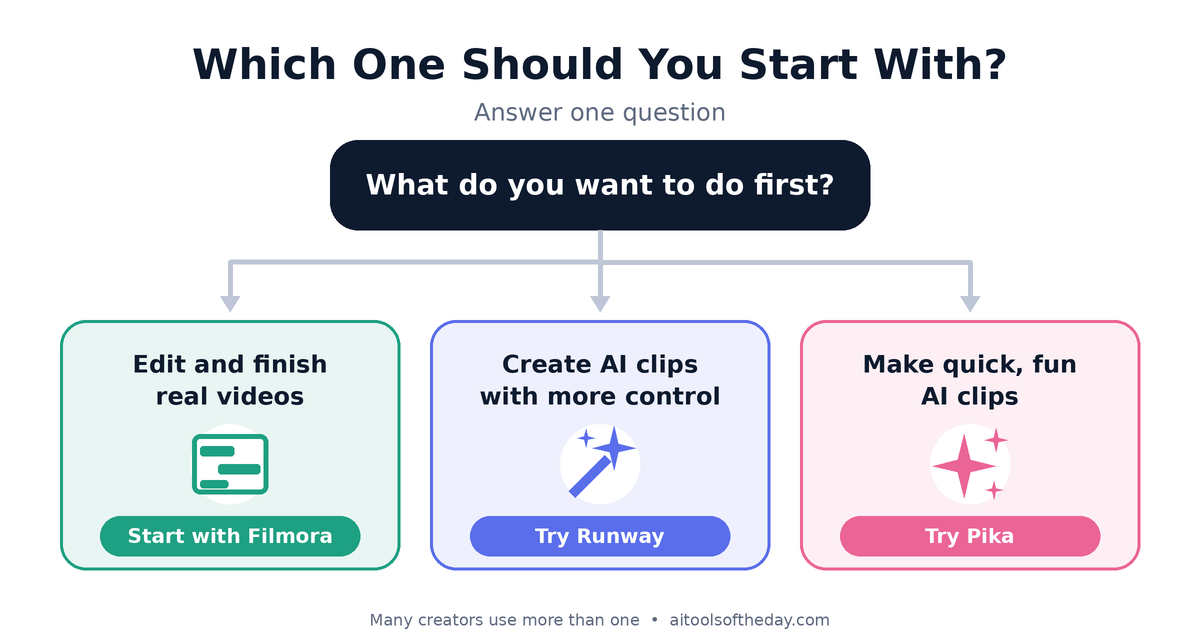
Complete beginners who want to make real videos: Start with Filmora. It teaches you how video works and gives you finished results.
- Social media creators who want quick, eye-catching clips: Try Pika for fast experiments, then edit your best clips in an editor.
- Creative explorers, designers and filmmakers: Runway offers the most room to experiment with AI-generated and AI-transformed video.
- YouTubers and marketers: Use Filmora as your main editor, and add AI clips from Runway or Pika for intros, b-roll and visual effects.
- Students and small businesses: Filmora is usually the practical choice for presentations, promos and tutorials.
A Simple Workflow That Combines All Three
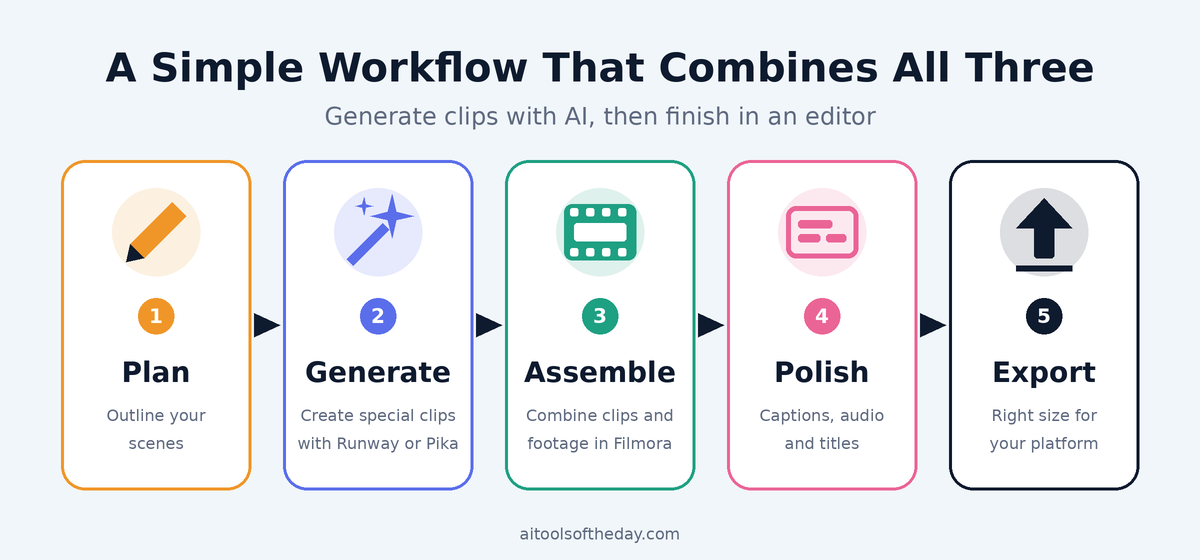
- Plan your video. Write a short script or outline of the scenes you need.
- Generate special clips. Use Runway or Pika for scenes you cannot easily film, such as imaginative backgrounds or short animated shots.
- Assemble in Filmora. Bring your clips into the timeline, add your own footage, voiceover and music.
- Add captions and polish. Use automatic captions, fix audio and add titles.
- Export and check. Watch the final video all the way through, then export for your chosen platform.
Tips for Better AI Video Results
- Be specific in your prompts. Mention the subject, setting, lighting and camera movement, for example "slow zoom on a laptop in a bright, modern office."
- Keep clips short. Shorter clips usually look more consistent than long ones.
- Generate a few versions. Pick the best one instead of expecting perfection on the first try.
- Use AI for support, not for everything. Combine AI clips with real footage and your own voice or message.
- Check licenses and rules. Read each tool's terms for commercial use, and avoid generating realistic videos of real people without permission.
- Disclose when needed. Some platforms ask you to label realistic AI-generated content, so check their current rules.
Common Mistakes to Avoid
- Expecting a full movie from one prompt. Today's AI tools are best at short clips that you then edit together.
- Skipping audio. Clear voice and well-chosen music matter as much as visuals.
- Paying for everything at once. Start free and add tools only when a real need appears.
- Using copyrighted music or footage. Always use content you created or have the right to use.
- Ignoring export settings. Choose the right size and format for the platform you are posting on.
Frequently Asked Questions
Which is the easiest AI video tool for a complete beginner?
Filmora is the most beginner-friendly if you want to edit and finish complete videos. Pika is the quickest to try for simple AI clips.
Can Runway or Pika replace a video editor?
Not completely. They are great at creating clips, but you still need an editor to arrange scenes, add audio and finish a full video.
Is Filmora an AI tool?
Filmora is primarily a video editor, but it includes AI-powered features such as automatic captions and background removal that make editing faster.
Are these tools free?
All three offer a way to try them for free, with limits. Paid plans unlock more features and higher quality. Check the official websites for current pricing.
Can I use videos made with these tools on YouTube or for my business?
Often yes, but rules depend on your plan and each tool's terms. Read the commercial use terms and any platform disclosure rules before publishing.
Do I need a powerful computer?
Runway and Pika run in your web browser, so the heavy processing happens online. Filmora runs on your device, so a reasonably modern computer helps for smooth editing.
Final Verdict
There is no single winner, because these tools do different jobs.
- Choose Filmora if you want a friendly editor that lets you finish complete videos.
- Choose Runway if you want creative control and enjoy experimenting with AI-generated video.
- Choose Pika if you want a simple, quick way to create short, playful AI clips.
For most beginners, the best path is to start with Filmora to learn the basics, then add Runway or Pika when you want AI-generated scenes. That way you stay in control of the story while AI handles the hard parts.
Want more options? Browse our full list of AI video tools and compare features side by side.