Not long ago, using AI meant typing a question and reading an answer. Today you can hand an AI a goal, such as "research these five competitors and put the findings in a spreadsheet," and come back later to find the job done. The software doing that kind of work is called an AI agent, and it is the biggest shift in everyday AI tools since chatbots arrived.
This guide explains AI agents in plain English. You will learn what they are, how they work, how they differ from chatbots, and where they are already being used. We walk through 10 real examples you can look up today, then finish with a simple checklist for trying agents safely.
The Short Answer
An AI agent is software that uses an AI model to pursue a goal on its own. You tell it what you want, and it plans the steps, uses tools such as apps, browsers and files, takes actions, checks the results and adjusts until the job is done or it needs your input.
A chatbot mainly talks. An agent talks and does.
What Is an AI Agent? A Simple Definition
Think of the difference between asking a friend for restaurant ideas and asking an assistant to book you a table. The friend gives advice. The assistant checks availability, picks a time, makes the reservation and tells you it is done. An AI agent is the second kind of helper.
Every AI agent has a few key ingredients:
- A goal. The outcome you want, described in everyday language.
- An AI model as the "brain." A large language model that understands the goal, reasons about it and decides what to do next.
- Tools. The ability to act, such as browsing websites, reading files, running code, sending messages or working inside business software.
- Memory and context. Information about the task so far, and often about your preferences and documents.
- A feedback loop. The agent looks at what happened after each action and decides whether to continue, change course or ask you a question.
That last ingredient is what makes an agent different from a simple automation. A basic automation follows a fixed recipe: when A happens, do B. An agent can handle surprises, such as a missing file or a changed web page, because it reasons about what to try next.
AI Agent vs Chatbot: What Is the Difference?
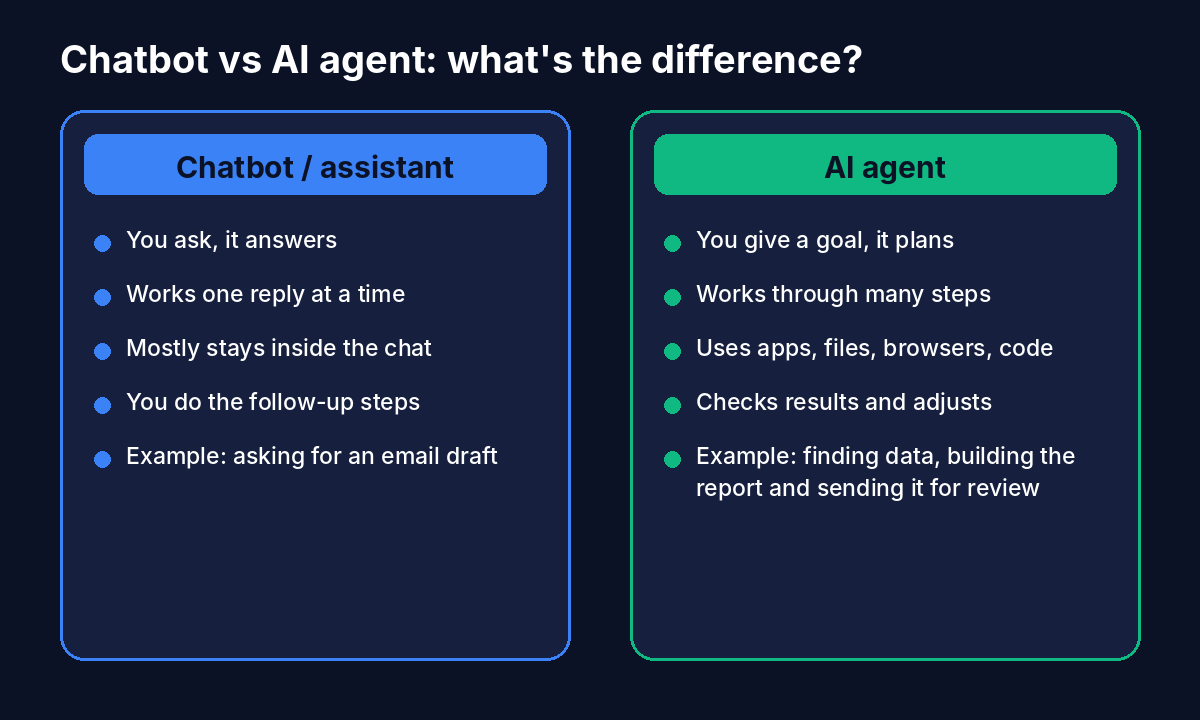
| Question | Chatbot or assistant | AI agent |
|---|---|---|
| What do you give it? | A question or a single request | A goal with an outcome |
| What does it return? | A reply in the chat | Finished work: a file, a booking, a fixed bug, a resolved ticket |
| How many steps? | Usually one at a time | Many steps planned and carried out in sequence |
| Does it use tools? | Sometimes, in a limited way | Yes, as a core feature |
| Who does the follow-up work? | You | The agent, with you reviewing |
| Typical example | Asking for a draft email | Researching leads, writing to each one and logging replies |
In practice the line is blurry, because many products combine both. OpenAI, for example, now bundles chat, a work agent and a coding agent inside the same ChatGPT app. A helpful way to think about it is a ladder of autonomy.
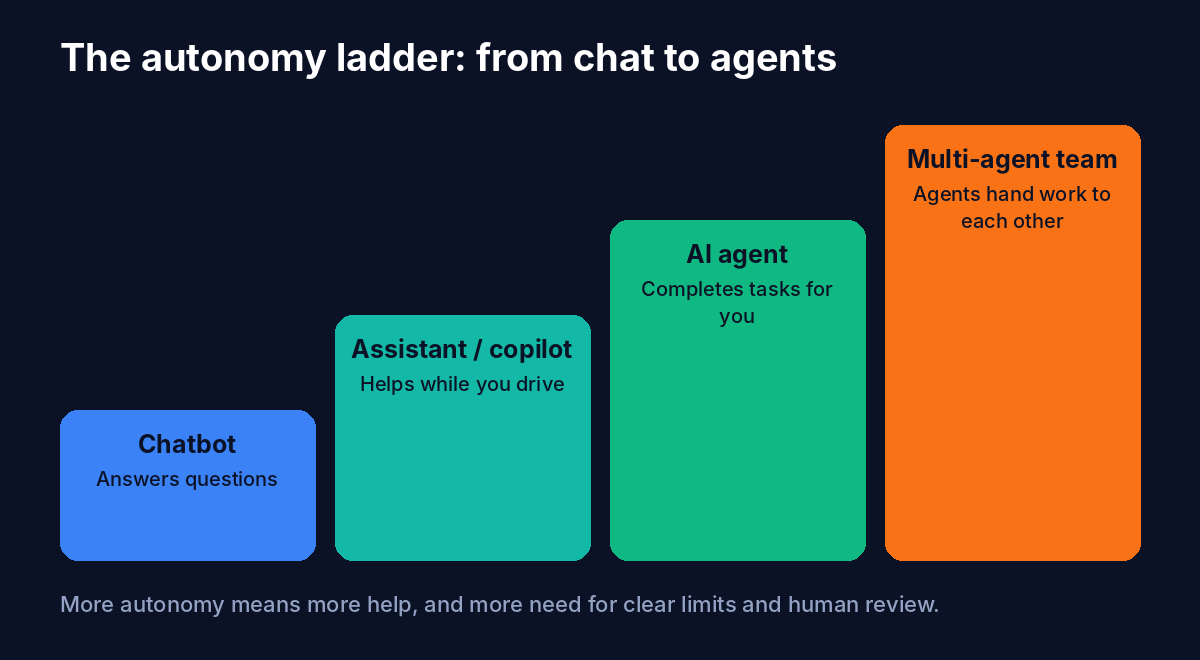
- Chatbot: answers questions in a conversation.
- Assistant or copilot: helps while you stay in the driver's seat, such as suggesting text or code as you work.
- AI agent: takes a goal and completes a multi-step task, checking in when needed.
- Multi-agent team: several specialized agents hand work to one another, for example one researches, one writes and one reviews.
How Do AI Agents Work?
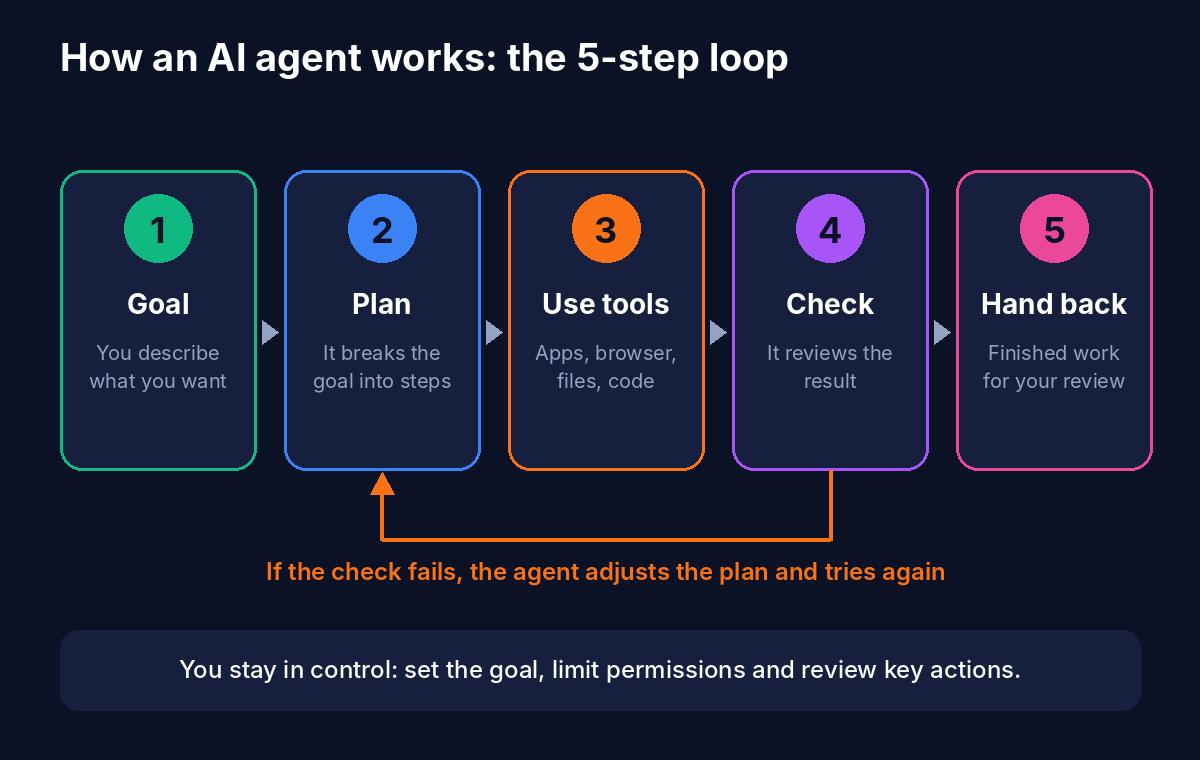
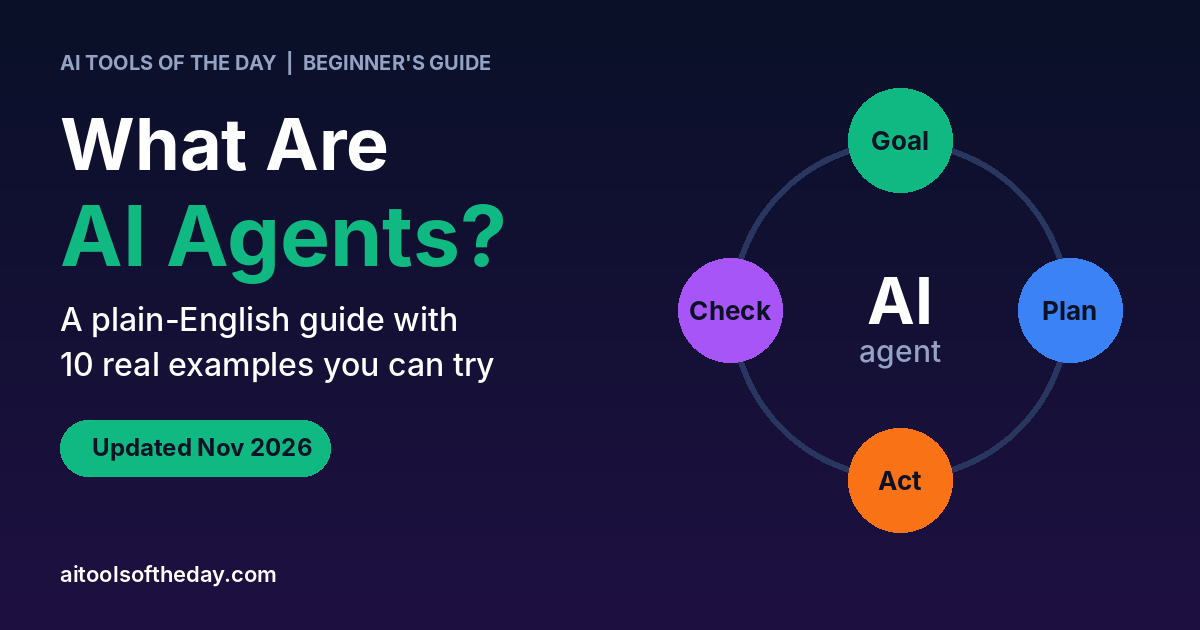
Different products work differently under the hood, but nearly all agents follow the same basic loop.
- You set a goal. For example: "Compare three project-management tools and give me a recommendation with pricing."
- The agent makes a plan. It breaks the goal into smaller steps, such as finding each tool's pricing page, noting key features and building a comparison.
- It uses tools to act. It might open a browser, read documents, run a calculation or call a connected app. Tools are what turn a language model from a talker into a doer.
- It checks the result. Did the page load? Does the data look right? If something fails, the agent adjusts the plan and tries again.
- It hands the work back. You receive the finished output, often with notes about what it did, and you review it before relying on it.
Many agents also pause to ask permission before important actions, such as sending an email or spending money. That pause is a feature, not a flaw. It keeps you in control.
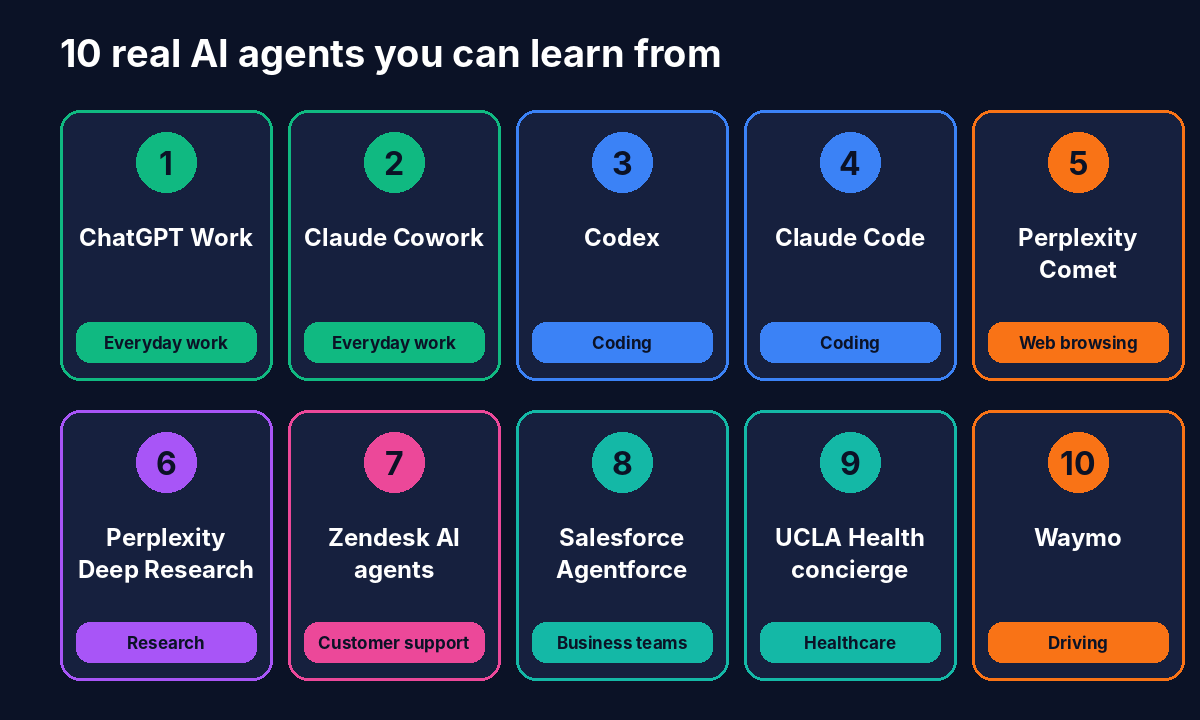
10 Real Examples of AI Agents
Here are ten agents that real people and companies are using right now. They are grouped by the kind of job they do, so you can spot which ones match your own work.
Everyday work agents
1. ChatGPT Work (OpenAI)
Launched in July 2026, ChatGPT Work is an agent inside ChatGPT that can work across your apps and files and stay with a project for hours. It is built on the same technology as OpenAI's coding agent, Codex, and returns finished materials such as documents, spreadsheets, presentations and even simple web apps. It connects to workplace tools like Slack, Microsoft Teams, Google Drive, email, calendars and CRMs through plugins, and it can schedule its own recurring tasks. Because agent work uses more of your plan's allowance than a quick chat, keep an eye on usage limits.
Good for: reports, decks, spreadsheets and research that normally take a few hours.
2. Claude Cowork (Anthropic)
Claude Cowork is Anthropic's agent for knowledge work, built for people who are not developers. You describe a task, and it plans and carries out multi-step work on your computer, such as organizing files, pulling information together and producing documents. It was one of the first mainstream workplace agents and helped push OpenAI to launch ChatGPT Work. You can read about the assistant behind it on our Claude listing.
Good for: desk-based tasks like file organizing, document drafting and information gathering.
Coding agents
3. Codex (OpenAI)
Codex began as a coding agent: a developer gives it access to a software project, assigns a task and later reviews the finished work. OpenAI says more than five million people use it each week, and over a million of them use it for tasks outside programming. It now sits alongside Chat and Work in one desktop app.
Good for: building features, fixing bugs and automating repetitive code changes.
4. Claude Code (Anthropic)
Claude Code is Anthropic's agentic coding tool. Developers hand it a task from the command line, the desktop app or a phone, and it works through the codebase to complete it. Like Codex, it shows how an agent can take a goal, edit many files and return work for review rather than simply suggesting a snippet.
Good for: multi-file changes, refactoring and bug hunts. Explore more tools in our AI code generation tools category.
Web and research agents
5. Perplexity Comet
Comet is a web browser from Perplexity with an agent built in. It can read your open tabs, compare sources, draft emails and run multi-step web tasks like research and shopping comparisons. The browser itself is free on Mac, Windows, iOS and Android, while some of the more advanced agent features may need a paid Perplexity plan. Browsing agents also carry special security risks, because a malicious web page can try to trick them, so review their actions closely.
Good for: comparing products, collecting information across many tabs and routine web chores.
6. Perplexity Deep Research
Deep Research is a research agent that goes beyond a single search. It runs many searches, reads and weighs sources, and compiles a structured report with references. It is available on Perplexity's paid Pro plan. See our Perplexity AI listing for details, and browse other AI research and data analysis tools.
Good for: market research, topic overviews and fact-finding with sources you can check.
Business and service agents
7. Zendesk AI agents (customer and employee support)
At its Relate 2026 event in May, Zendesk made its AI agents generally available and described a shift from chatbots that only deflect questions to agents that aim to resolve them. They handle conversations across messaging, email and voice and connect to back-end systems to take action. Zendesk also introduced autonomous agents for employee service that work inside Slack and Microsoft Teams and respect source-level permissions. The company reported that its own internal use reached more than 60% autonomous resolution and a 30% drop in manual ticket volume. These are company-reported figures, so treat them as a promising example rather than a promise for every business. Read more on our Zendesk AI listing.
Good for: support teams handling repetitive requests like order status, account changes and IT or HR questions.
8. Salesforce Agentforce
Agentforce lets companies build and run agents inside their Salesforce systems. Salesforce reported in May 2026 that the product had passed $1 billion in annual recurring revenue, and its research found that the average customer's number of active agents rose from five to 13 between February 2025 and April 2026. One example is PenFed, a credit union that runs its operations with 76 AI agents working alongside human staff.
Good for: sales follow-ups, service requests and other repeatable business workflows.
9. UCLA Health's virtual concierge (built on Agentforce)
UCLA Health uses Agentforce as a patient-facing virtual concierge. It supports around 450 patients a day by pointing them to the right providers, answering general questions and handling clinical-trial inquiries. It is a useful example of an agent doing a narrow, well-defined job in a sensitive setting, where clear boundaries matter.
Good for: understanding how agents can handle high-volume front-desk style questions.
Agents in the physical world
10. Waymo
Waymo's driverless cars are an agent that perceives its surroundings, plans a route, acts by steering and braking, and constantly adjusts to what happens on the road. By March 2026 the service was providing roughly 500,000 paid rides a week across ten US cities, and in October it opened to the public in San Antonio, San Diego and Tampa. Waymo has said it is aiming for 1 million rides a week by the end of 2026. It is not a software assistant you chat with, but it shows the same perceive, plan, act and check loop in the real world.
Good for: understanding that "agent" does not only mean a chat window.
What Can AI Agents Do for You?
The common thread in all ten examples is that the agent takes over a chunk of repetitive, multi-step work. Typical uses include:
- Research and summarizing: gathering sources and turning them into a short brief.
- Document creation: producing first drafts of reports, decks and spreadsheets.
- Inbox and calendar chores: sorting, drafting replies and scheduling.
- Customer support: resolving routine questions around the clock.
- Coding: fixing bugs, writing tests and updating code across many files.
- Data tasks: cleaning, combining and analyzing information.
If you run a small business or work solo, our guide to the best free AI tools for small business owners is a good place to start. You can also explore ideas in our post on realistic ways to make money with AI tools in 2026.
The Risks and Limits You Should Know About
Agents are powerful, and that is exactly why a little caution pays off. Beginners should keep these points in mind:
- They make mistakes. Agents can misread a task, pick the wrong source or confidently report something that is not true. Always review important output.
- Permissions matter. An agent that can send emails or change files can also send the wrong email or change the wrong file. Give it only the access it needs.
- Security is a real concern. A web page or document can contain hidden instructions meant to trick an agent. This is why browsing agents deserve extra care, and why you should avoid giving them access to sensitive accounts without close supervision.
- Costs can add up. Long agent sessions use more of your plan's allowance than a quick chat, and some business tools charge per resolved task.
- Results vary. Company-reported success numbers are usually best-case. Test an agent on your own tasks before trusting it with important work.
How to Start Using AI Agents: A Beginner's Checklist
- Pick one small, repetitive task. Weekly report prep, competitor research or sorting files are all good starters.
- Write a clear goal. Say what "done" looks like, what sources to use and what format you want. Our AI prompt library has ready-made prompts to adapt.
- Start with low-risk access. Begin with read-only access to files and tools. Add permissions to change or send things only after the agent has earned your trust.
- Review before you rely on it. Check the output and ask the agent to show its sources or steps.
- Keep a human in the loop for anything important. Money, legal, medical and customer-facing decisions deserve a person's final check.
- Measure the time saved. If the agent is not saving you time after a few tries, adjust the task or switch tools.
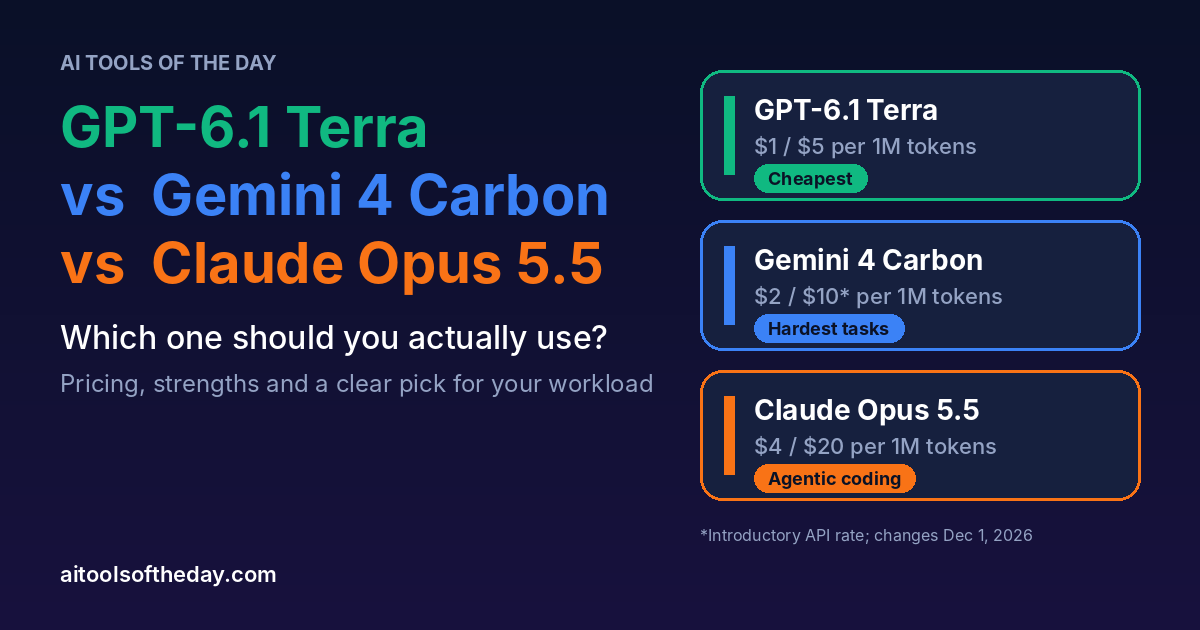
Ready to explore? Browse our autonomous AI agents collection, check the wider AI automation and agents section, or compare the latest models in our guide to GPT-6.1 Terra vs Gemini 4 Carbon vs Claude Opus 5.5, since the model behind an agent shapes how well it performs. For simpler everyday helpers, see our AI chatbots and assistants.
Where Are AI Agents Heading Next?
Three trends are worth watching. First, agents are moving from developers to everyone: OpenAI and Anthropic both now sell agents aimed at ordinary office work, not just coding. Second, companies are running many agents at once, and the same Salesforce research found that agents are being set up in days, not months. Third, the conversation is shifting from "can an agent do this?" to "can we trust and govern it?" Permissions, audit trails and human review are becoming as important as raw capability.
For beginners, the practical takeaway is simple. You do not need to understand the engineering to benefit. You only need to pick a small task, set clear limits and check the results.
Frequently Asked Questions
What is an AI agent in simple words?
An AI agent is a program that can take a goal, plan the steps, use tools like a browser or files, and carry out the work on its own while you review the result. It goes beyond answering questions to actually completing tasks.
What is the difference between an AI agent and a chatbot?
A chatbot responds to what you type, one message at a time. An AI agent works toward a goal across many steps, uses tools, checks its own progress and returns finished work. Many modern products combine both in one app.
Is ChatGPT an AI agent?
Standard ChatGPT chat is an assistant. ChatGPT Work and Codex, which live inside the ChatGPT app, are agents because they plan and complete multi-step tasks across files and apps.
What are some examples of AI agents?
Examples include ChatGPT Work, Claude Cowork, Codex, Claude Code, Perplexity Comet, Perplexity Deep Research, Zendesk AI agents, Salesforce Agentforce, healthcare virtual concierges and Waymo's driverless cars.
Are AI agents safe to use?
They can be, if you use them carefully. Limit what they can access, review their work, avoid giving them sensitive accounts without supervision, and keep a human in charge of important decisions.
Do I need to know how to code to use AI agents?
No. Agents like ChatGPT Work and Claude Cowork are designed for people who are not developers. You describe what you want in plain language.
Are AI agents free?
Some have free tiers with limits, while the most capable agent features usually need a paid plan, and long tasks use more of your allowance. Check each product's current pricing and limits before you commit.
Will AI agents replace jobs?
Agents are taking over repetitive tasks, and companies report using them alongside human staff rather than only replacing them. The likely effect is that jobs change, with more time on judgment and relationships and less on routine work. How this plays out will differ by industry.
Final Thoughts
AI agents turn AI from something you talk to into something that works for you. The ten examples above show that they are already handling real jobs, from office reports and code to customer support and driving. The best way to understand them is to try one on a small task, keep the permissions tight and review what comes back.
Keep exploring with the full AI tools directory, catch the latest on our AI news page, read more guides on the AI Tools of the Day blog, or submit your own AI tool to our directory.
Sources and Further Reading
- eWeek: OpenAI unveils ChatGPT Work
- The Next Web: OpenAI launches ChatGPT Work
- Reworked: ChatGPT Work and its integrations
- Zendesk: Relate 2026 and the Resolution Platform
- Futurum Group: Zendesk's autonomous AI agents and outcome pricing
- CX Today: Agentforce passes $1 billion in ARR
- CIO Dive: Salesforce report on AI agent growth
- Business Standard: Perplexity's Comet browser
- InsideEVs: Waymo's weekly ridership
- Unite.AI: Waymo opens to the public in three more cities